
Free Video Player for Android. Every Format, Smoother Playback.
SPlayer plays MKV, MP4, AVI and 4K videos, streams torrent and magnet links,
and gives you full subtitle control – in a sleek dark UI with no sign-up.
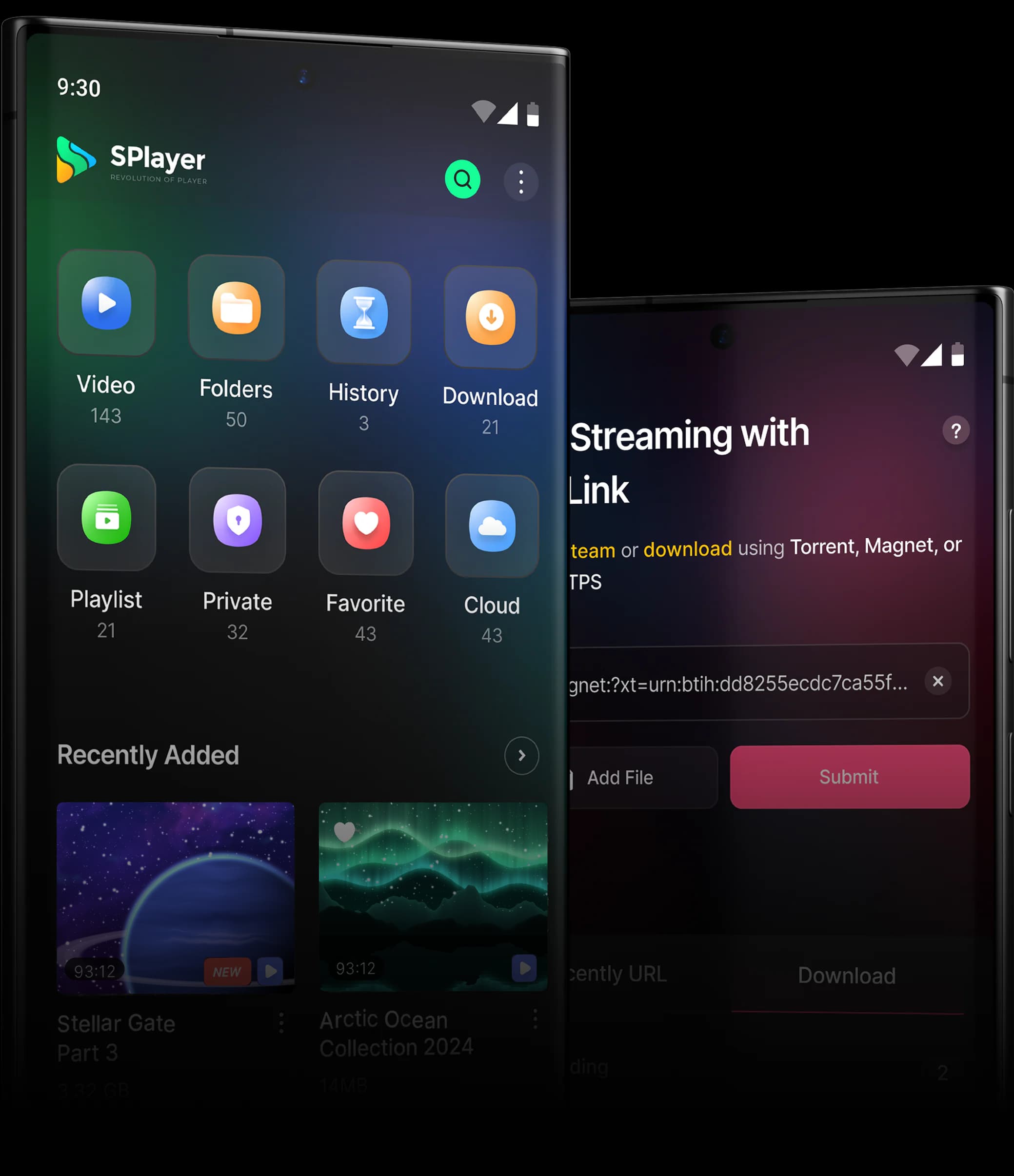
Key features of the SPlayer video player

HD Video Player for Every Format
Play MKV, MP4, AVI, MOV and almost any other video format in HD or 4K – no converting files, no extra codecs. Optimized for smooth playback even on low-end Android phones.

Torrent & Magnet Link Streaming
Paste a magnet link or HTTP(S) URL, or open a .torrent file, to stream instantly or download for offline viewing. Seek while it buffers and run several downloads at once.

Gesture Controls & Pro Playback Tools
Swipe to seek, adjust volume and brightness, change playback speed, loop with A-B repeat, set a sleep timer, lock the screen or pop out to Picture-in-Picture.

Private Folder with PIN or Fingerprint
Hide personal videos from your gallery and main library in a locked private folder. Only you can open it, with your PIN or fingerprint.

Automatic Video Library
SPlayer finds the videos on your phone and SD card and sorts them into Folders, Playlists, Downloads, Recents and Favorites – no manual organizing.

Resume Playback & Watch History
Pick up exactly where you left off in any movie or episode. Your watch history is one tap away – and you can clear it anytime.

Playlists, Background Play & Pinned Folders
Build playlists for movies, music videos or lectures, keep audio playing in the background, and pin your most-used folders for one-tap access.

Subtitle Player with Full Customization
Load SRT, ASS/SSA, VTT, SUB and IDX subtitles from your phone or a URL, then adjust font, size, color, position and sync timing in any language.

Dark Mode, Audio Booster & Brightness Booster
A sleek, battery-friendly dark UI built for one-handed use – plus an audio booster for quiet videos and a brightness booster for dark scenes.
Swipe, Pinch, Tap – Gesture Controls at Your Fingertips
Swipe to Seek
Swipe left or right anywhere on the video to fast-forward or rewind smoothly.
Gesture Volume & Brightness
Swipe up or down on the left or right edge of the screen to change brightness or volume – no buttons needed.
Pinch to Zoom
Pinch to zoom in or fit the video to your screen – ideal for widescreen movies on any phone.
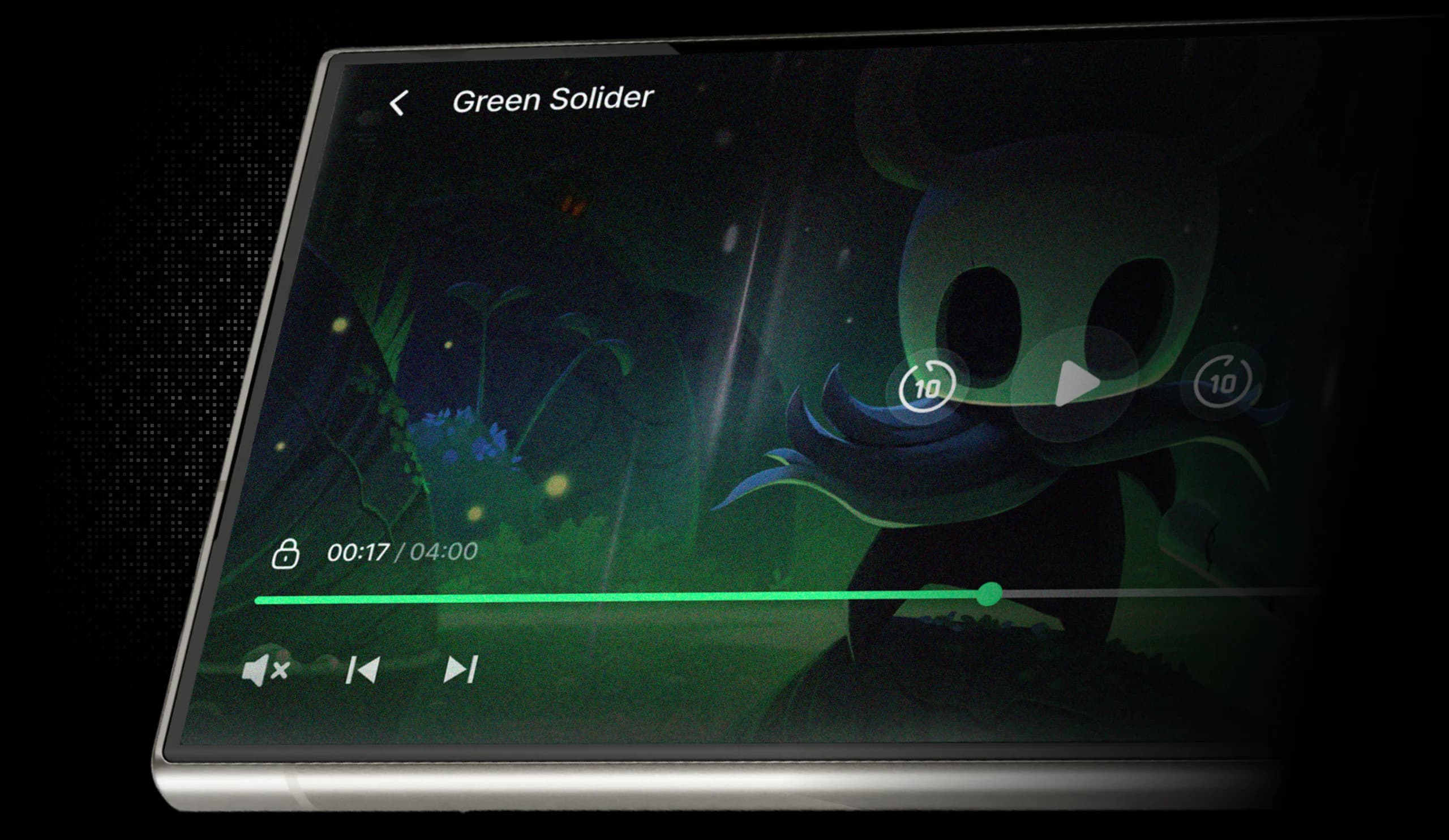
Full-Featured Video Player for Android
SPlayer's playback engine gives you pro-level controls without the clutter.
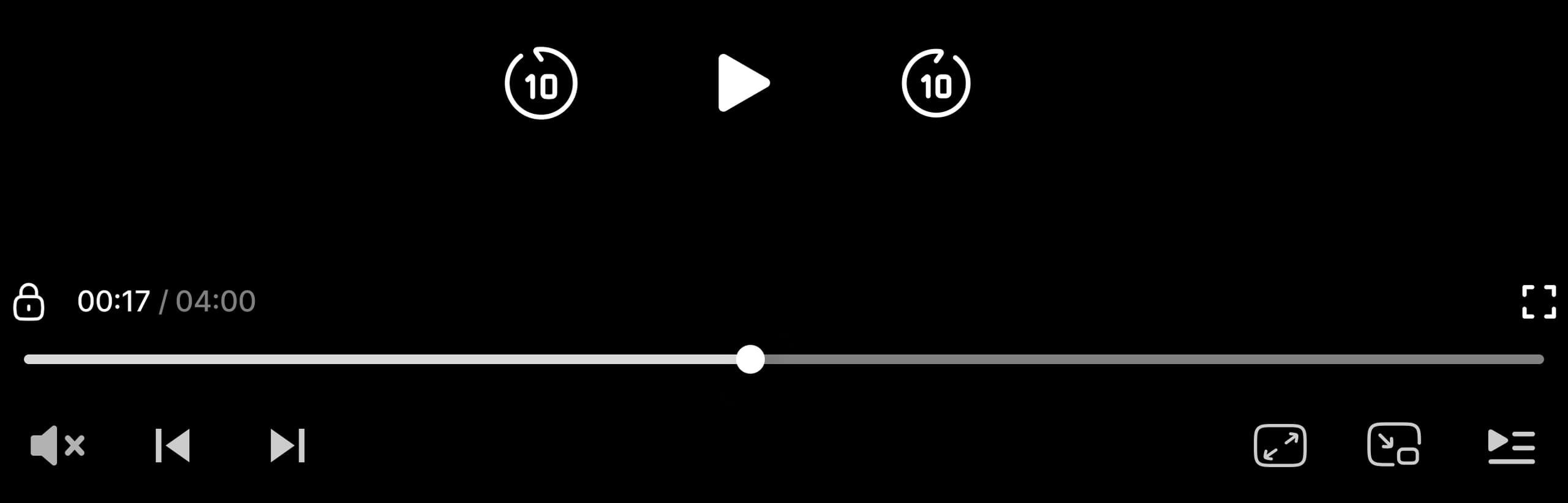
Swipe to seek, pinch to zoom, change playback speed, switch to Picture-in-Picture, cast to TV, lock the screen or loop your favorite scene with A-B repeat.
Every tool is right where you expect it – simple, smart and powerful.




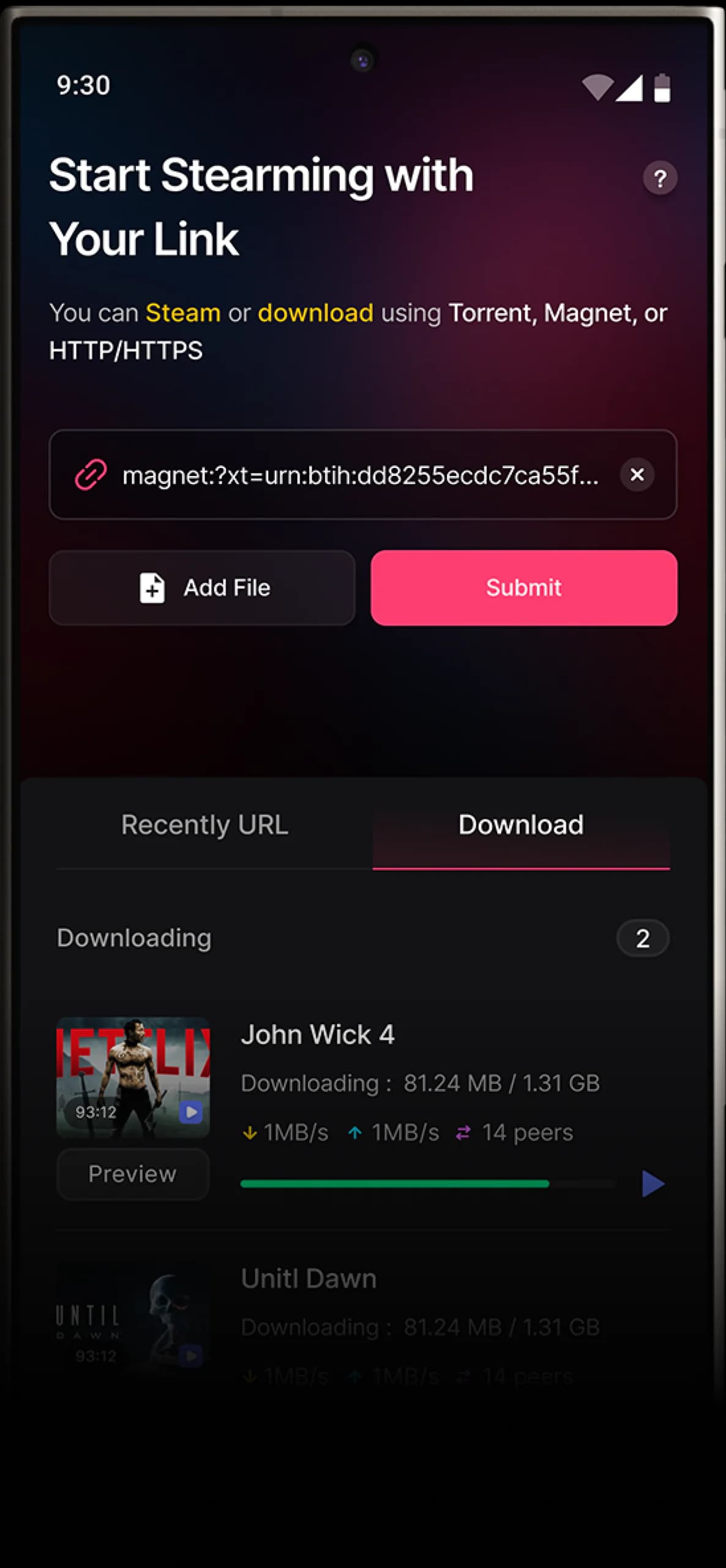

Torrent Streaming & Download – Play Instantly, Watch Offline
SPlayer doubles as a torrent video player: paste a magnet link, HTTP(S) URL or .torrent file to stream
instantly, or download videos to watch offline – with several downloads running at once.
Stream Torrents Instantly
Paste a magnet link or open a .torrent file and start watching in seconds – no waiting for the full download.
Choose Files Inside a Torrent
Preview what a torrent contains and download only the videos or subtitle files you need, saving time and storage.
Live Speed & Peer Monitor
Track download speed, upload rate and connected peers in real time.
Seek While Streaming
Smart buffering lets you jump to any scene while the video is still downloading.
Cast Torrent Videos to TV
Send MP4 torrent streams straight to your TV with Chromecast.
Download for Offline Viewing
Save videos to your phone and watch them later without Wi-Fi or mobile data.
Private Folder & Privacy by Design
Your videos stay on your phone
SPlayer plays and organizes your videos locally. It never uploads, scans or analyzes your personal files.
Lock personal videos in the private folder with a PIN or fingerprint, so they stay hidden from your gallery – and from anyone who borrows your phone.
Storage access is used only to find, play and save the videos you choose. Read our Privacy Policy for details on the limited device data the app uses.
Loved by Android Users on Google Play
Real 5-star reviews from people who use SPlayer every day to watch movies, series and anime. Read all reviews on Google Play


Frequently Asked Questions
Answers to the most common questions about SPlayer, the free video player for Android.
Is SPlayer really a free video player for Android?
Yes. SPlayer is free to download from Google Play, and every feature – torrent streaming, subtitles, casting to TV and the private folder – works without a subscription.
What video formats does SPlayer support?
SPlayer plays almost every video format, including MKV, MP4, AVI and MOV, in HD and 4K (depending on your device) – no extra codecs or file conversion needed.
Can I stream torrent or magnet links without downloading first?
Yes. Paste a magnet link or open a .torrent file and playback starts while the file downloads. You can seek to any scene, pick specific files in the torrent, or save the video for offline viewing.
Which subtitle formats and languages are supported?
SubRip (.srt), SubStation Alpha (.ssa/.ass) with full styling, WebVTT (.vtt), MicroDVD and SubViewer (.sub) and VobSub (.sub/.idx), plus DVD and DVB subtitle tracks. Subtitles in UTF-8, ANSI, Arabic, Cyrillic and other encodings display correctly, and you can load them from your phone or a URL.
Can I cast videos to my TV?
Yes. SPlayer supports Chromecast, so you can send local videos – and MP4 torrent streams – to your TV.
Do I need to create an account?
No. Install the app and start watching right away – no login or sign-up required.
Does SPlayer work offline?
Yes. Videos stored on your phone or SD card, and anything you have downloaded, play without an internet connection.
Is SPlayer a good alternative to MX Player or VLC?
Yes. Like MX Player and VLC, SPlayer plays almost every format with gesture controls and advanced subtitle settings – and it also streams torrent and magnet links in the same app.
How does SPlayer protect my privacy?
Your videos stay on your device – SPlayer never uploads your files, and the private folder keeps personal videos locked behind your PIN or fingerprint. Our Privacy Policy explains the limited device data the app uses.
Is it legal to stream torrents with SPlayer?
SPlayer is a video player and torrent client – it does not host or provide any content. Torrenting is legal for files you have the right to share, such as public-domain films or your own videos. Only stream or download content you are allowed to use.
Is SPlayer still being updated?
Yes. SPlayer is actively developed, with regular updates shaped by feedback from Google Play users.

Get SPlayer – Free Video Player for Android
Smooth HD playback for every format, torrent streaming, Chromecast and full subtitle customization – all free on Google Play. No account, no subscription.
Download on Google Play